|
<< Click to Display Table of Contents >> Security & Admin Control in MEMS |
  
|
|
<< Click to Display Table of Contents >> Security & Admin Control in MEMS |
|
GAMMA provides several administrative control and settings to the users with Administrator licence. Administrators are enabled to manage users, update licenses, pre-provision key for the users, configure fallback notification and encryption settings on the portal. Administrators may also add location settings to capture the location of user devices when they send a response.
A customer administrator may configure password policy and definitions to provide a secure experience with the GAMMA.
•Log into the SOPRANO MEMS web portal.
•Go to Company Setup > Customer Information.
•Select Company GAMMA Preference.
The key controls on the Customer GAMMA Preference page are as follows:
•Fall-back control
•Require password options
•Require Encryption settings
•Setting up default Source Address - Set a default source address that will appear as default while sending an A2P interactive Message.
•Repeat Alert & Require Acknowledgment
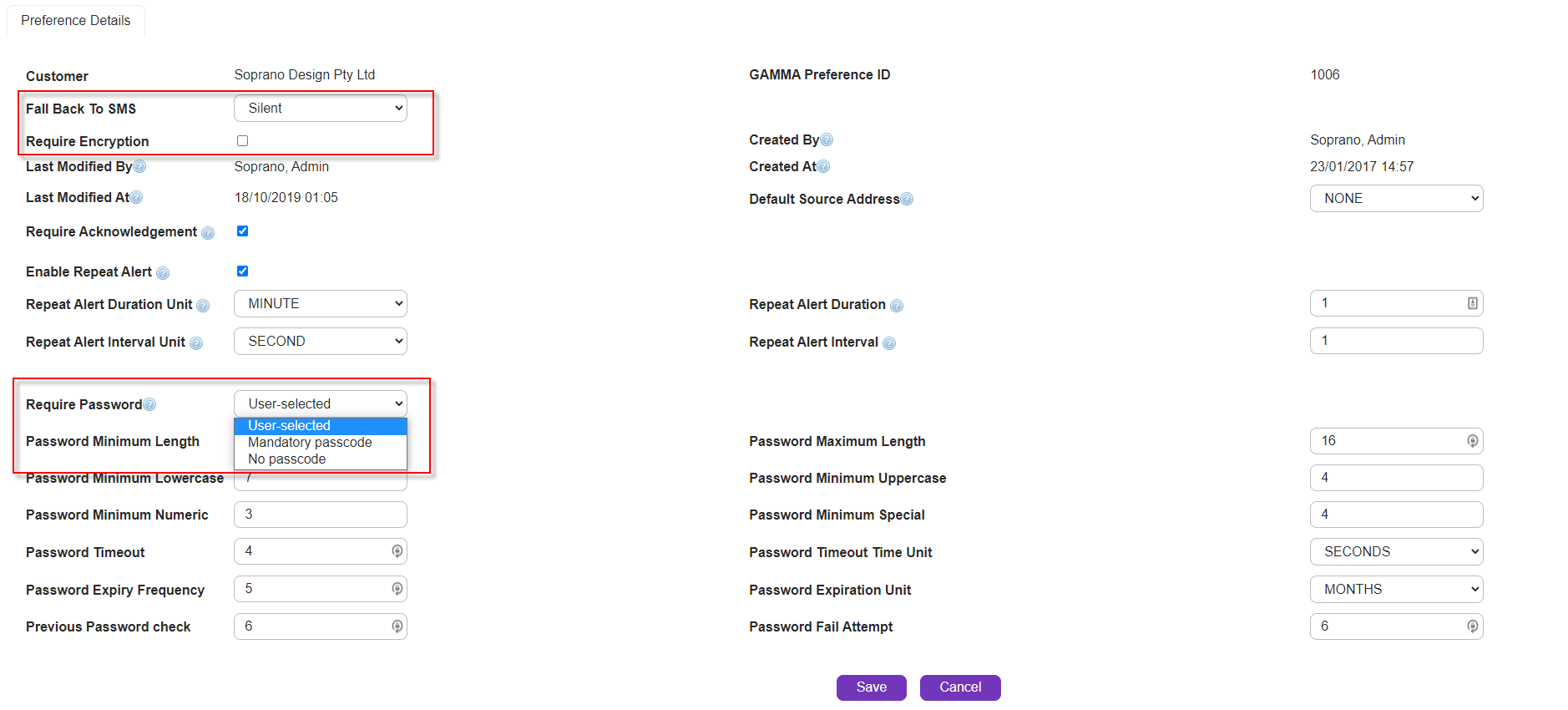
We've discussed each of these security feature & settings in the following sections.